Polygon editing is used for boundaries, service areas, parcels, buildings, and other features where the shape itself carries operational meaning.
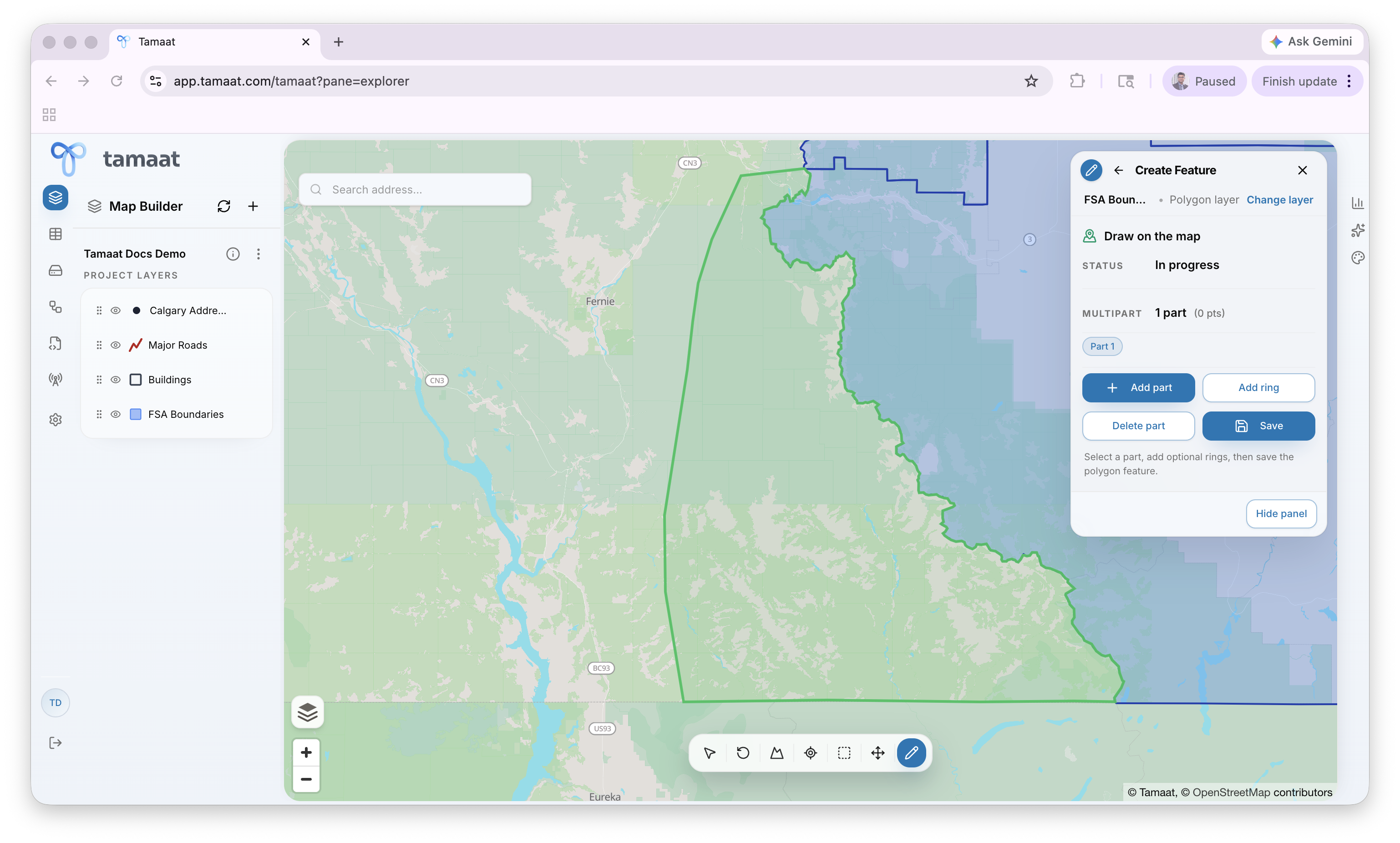 Polygon draft snapping to the border of an adjacent polygon
Create a polygon feature
- Open Edit Layer and choose the polygon layer.
- Choose Create Feature and select Start.
- Click around the boundary to place each vertex, usually by following a real footprint or operational boundary already visible in the project.
- Complete the outer shape and review the polygon panel.
- Use Add part when the feature needs multiple disconnected parts.
- Use Add ring when the polygon needs an interior hole.
- Save the polygon when the geometry is complete.
When the new polygon is adjacent to existing boundary geometry, pause before saving and inspect the shared edge closely. This is the point where you confirm that the drafted shape is following the intended neighboring boundary instead of leaving a sliver or overlap. In city projects, this often means tracing a missing building footprint or extending an existing area boundary so it fits the surrounding urban geometry cleanly.
Edit an existing polygon
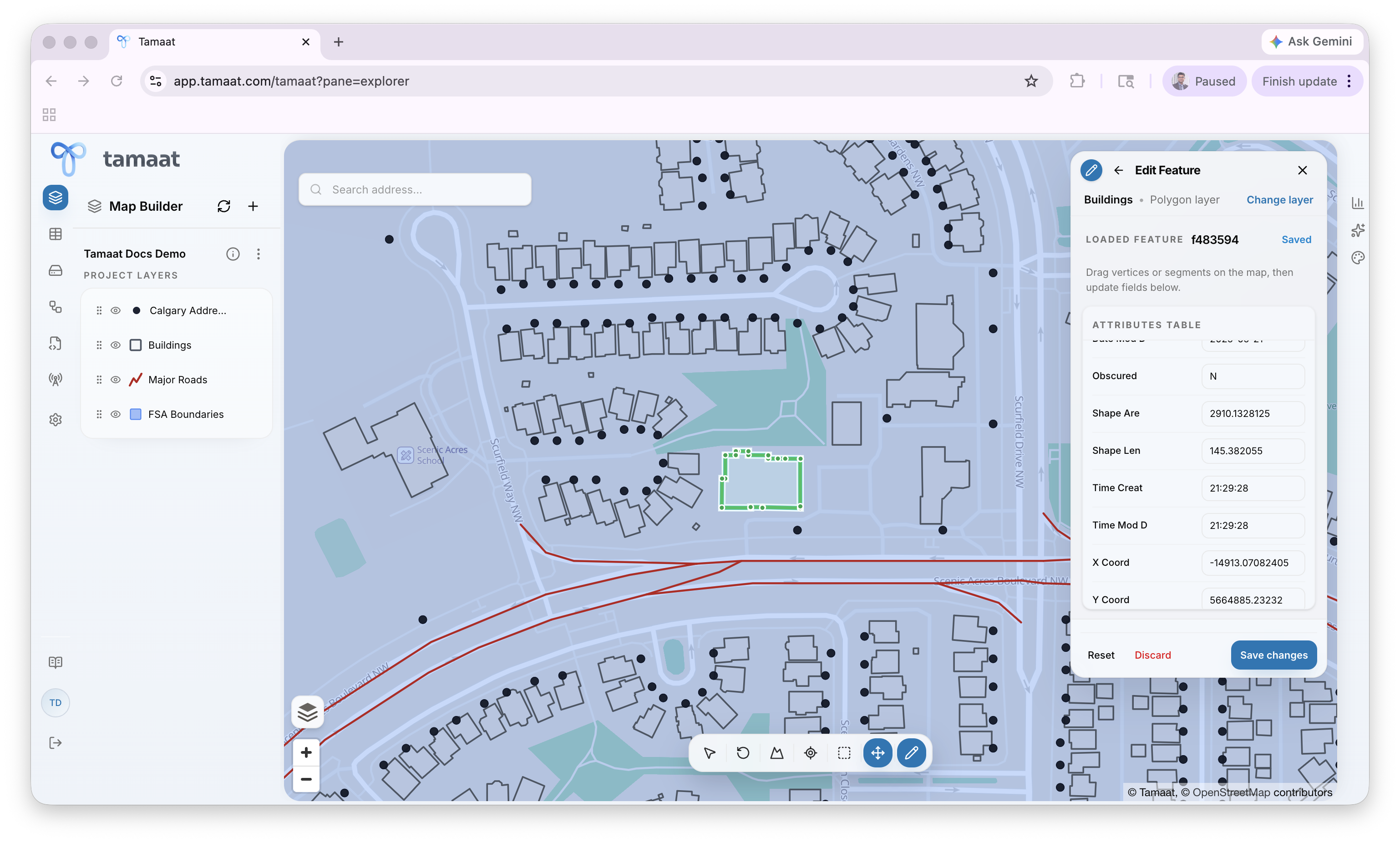 Existing polygon selected for editing with loaded attributes
- Open Edit Layer and choose the polygon layer.
- Choose Edit Feature.
- Select the polygon you want to revise.
- Adjust the boundary while preserving the intended operational shape.
- Review the updated geometry carefully if the polygon is shared with nearby context.
- Save the change.
Why polygon editing needs more care
Polygon changes can affect neighboring context and downstream analysis much more visibly than many point edits, especially when boundaries are shared or interpreted operationally.