Every project layer in Map Builder exposes a focused action menu. This is one of the most important control points in the GIS workflow because it connects the visual layer stack to the detailed operations that analysts actually need.
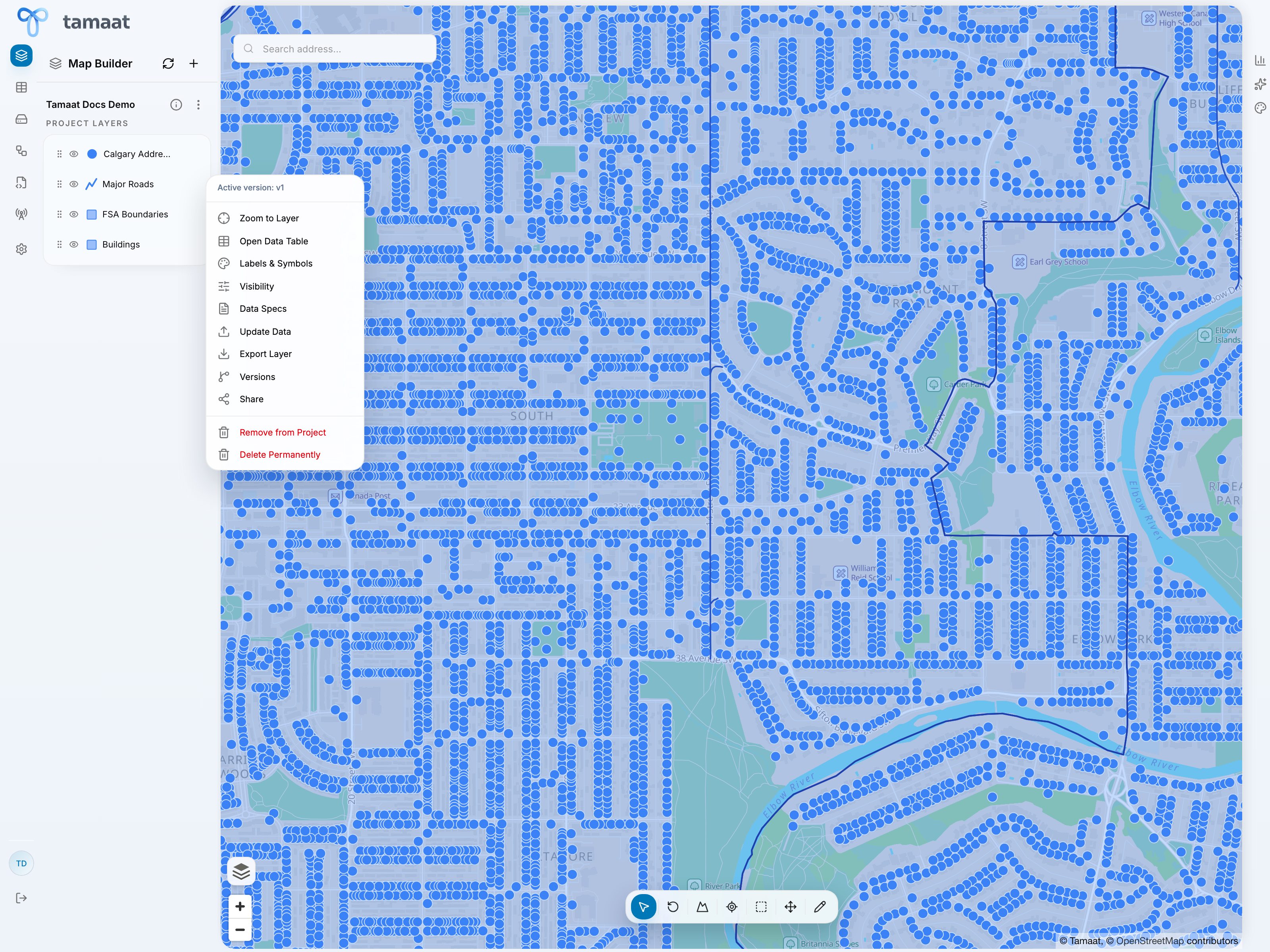 Layer actions
Use the layer action menu for common work
From the layer menu, users can typically:
- zoom to the layer
- open the data table
- configure labels and symbols
- control visibility behavior
- review data specs
- manage versions
- share the layer
- remove it from the project or delete it permanently when appropriate
What this page is for
This page covers the layer action menu itself and the Data Specs path behind it. Styling and visibility each have their own dedicated pages because they deserve more than a first-level dialog screenshot.
Data specs
Data Specs is where users review layer-specific data behavior such as:
- which field is used as the unique identifier
- how new IDs should be generated during feature creation
- whether automatically detected geometry-related fields need to be corrected
This is especially important before heavy editing or downstream integration work.
Why Data Specs deserves attention
Data Specs is one of the places where GIS users can avoid downstream confusion early. Confirm the identifier strategy and any geometry-related field expectations before you start editing, duplicating, or integrating the layer into ETL and API logic.